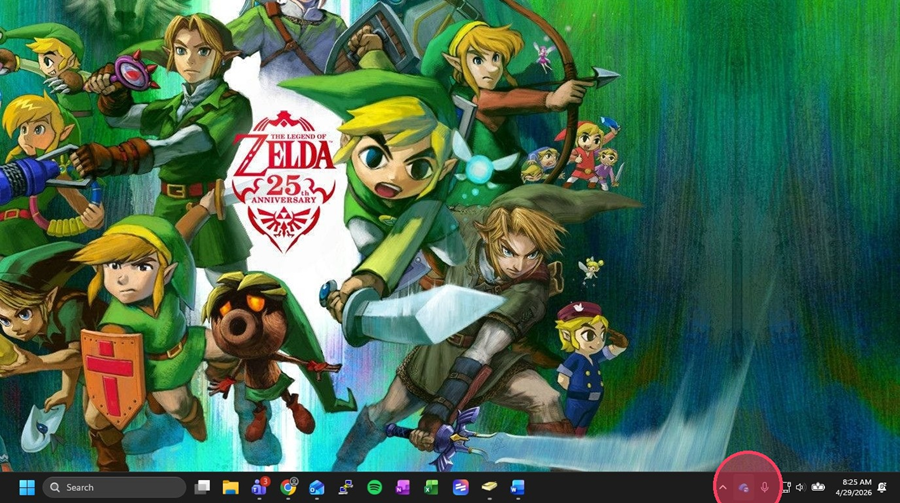
1. Click the OneDrive cloud icon in the bottom right-hand corner
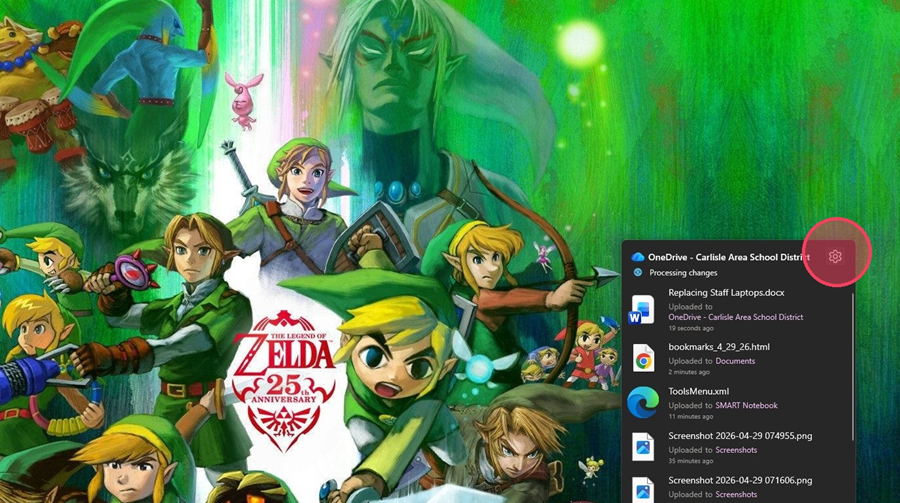
2. Open OneDrive Settings by clicking the gear icon
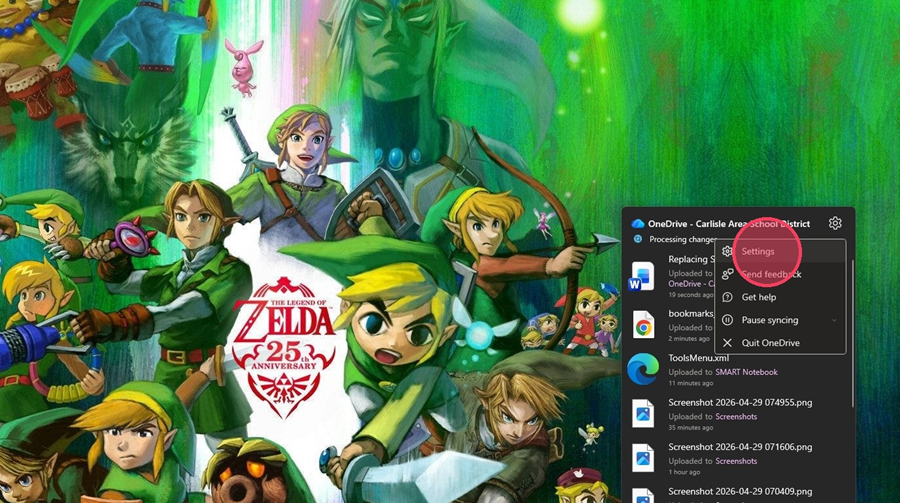
3. Select Manage backup
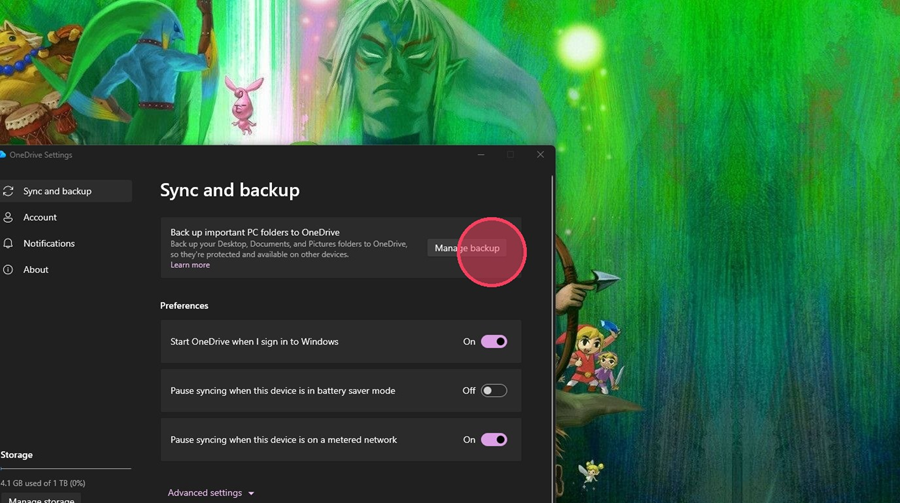
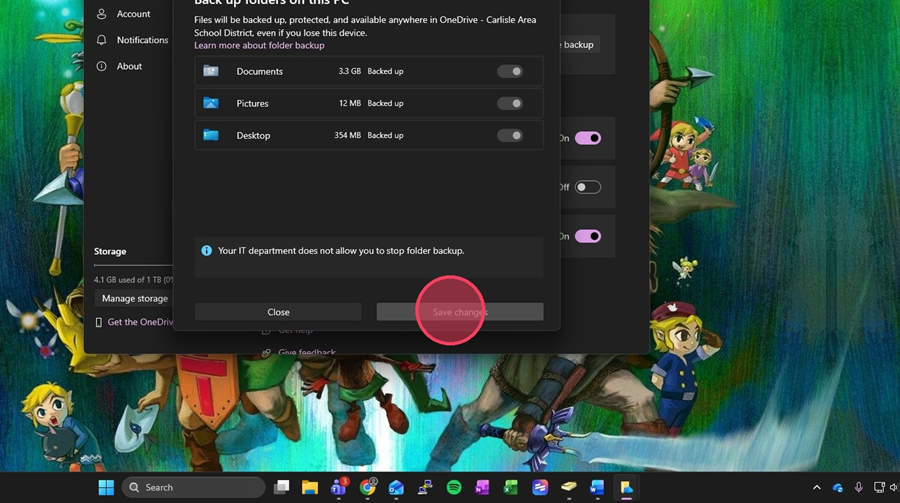
4. Toggle each file location listed and hit Save changes
1. Click the OneDrive cloud icon in the bottom right-hand corner
2. Open OneDrive Settings by clicking the gear icon
3. Select Manage backup
4. Toggle each file location listed and hit Save changes