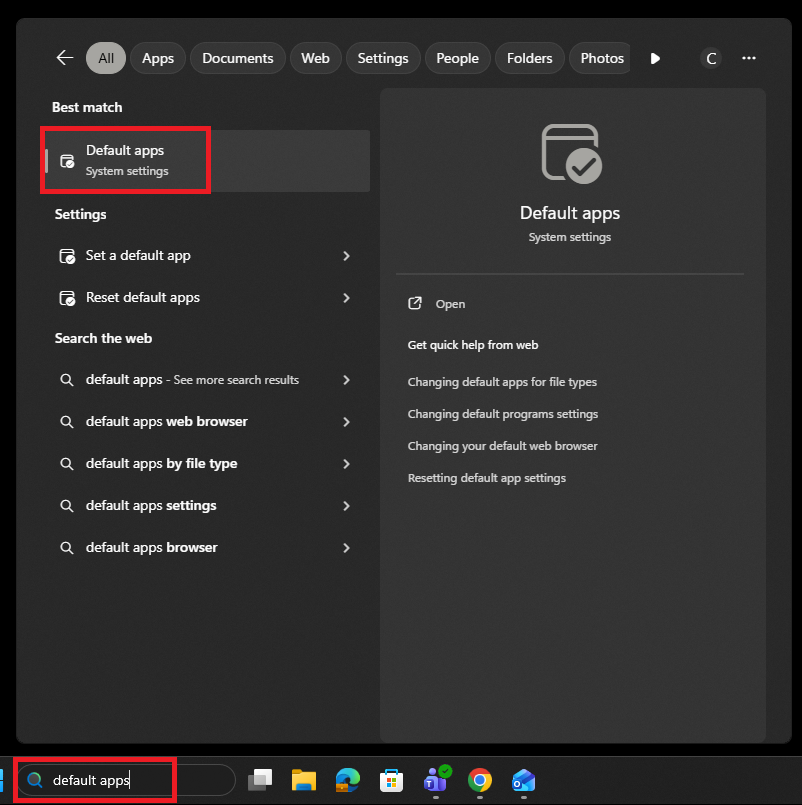
To change the default app to open up a PDF, first search for "Default apps" in the taskbar search bar.
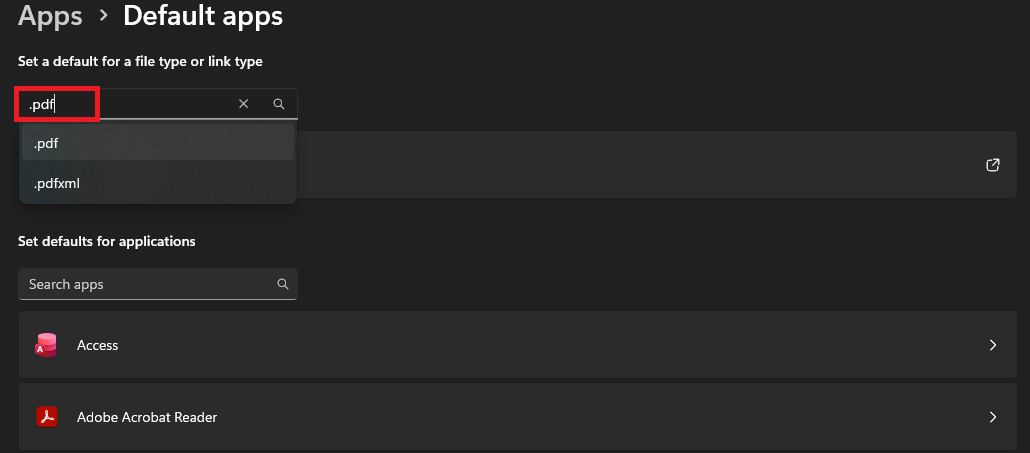
Once Default apps is open, type ".pdf" into the search.
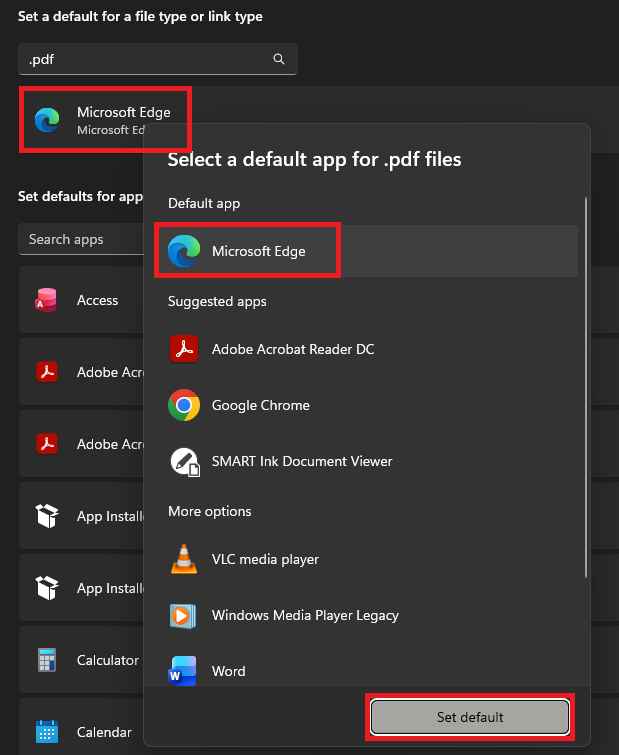
Select the app that is already chosen as default, which will most likely be Adobe Acrobat. A window will pop up allowing you to choose which app to set as default, which you will want to select as either Chrome or Edge under the Suggested Apps tab. Then, click "Set default" to save the changes.
PDFs should now only open through Chrome or Edge.