To change SMART Notebook 2024 to the 2022 version, first open the SMART Notebook application
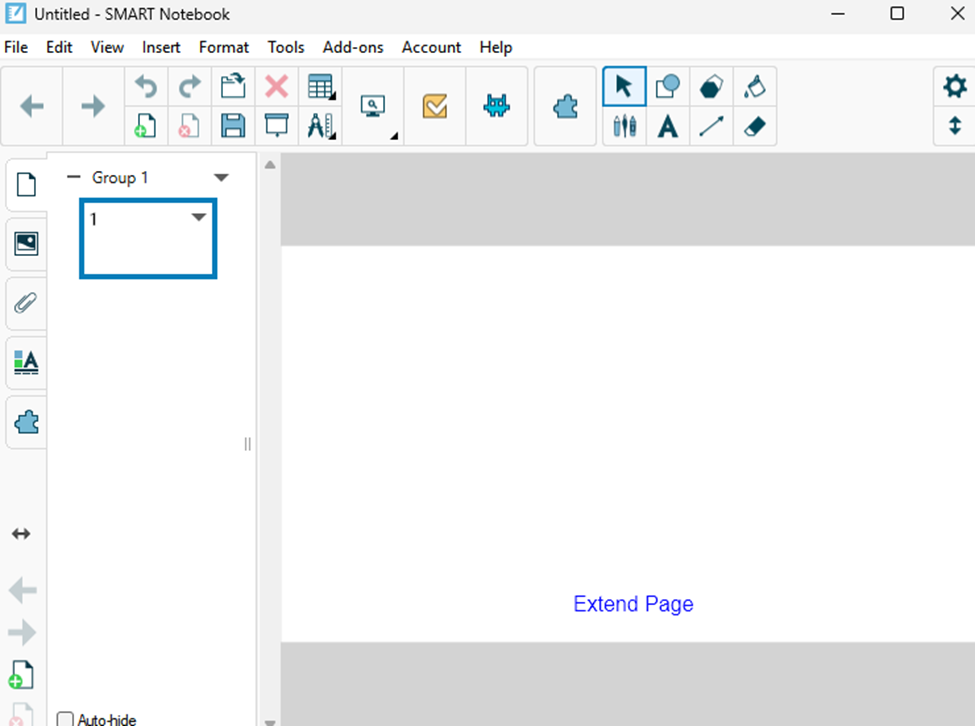
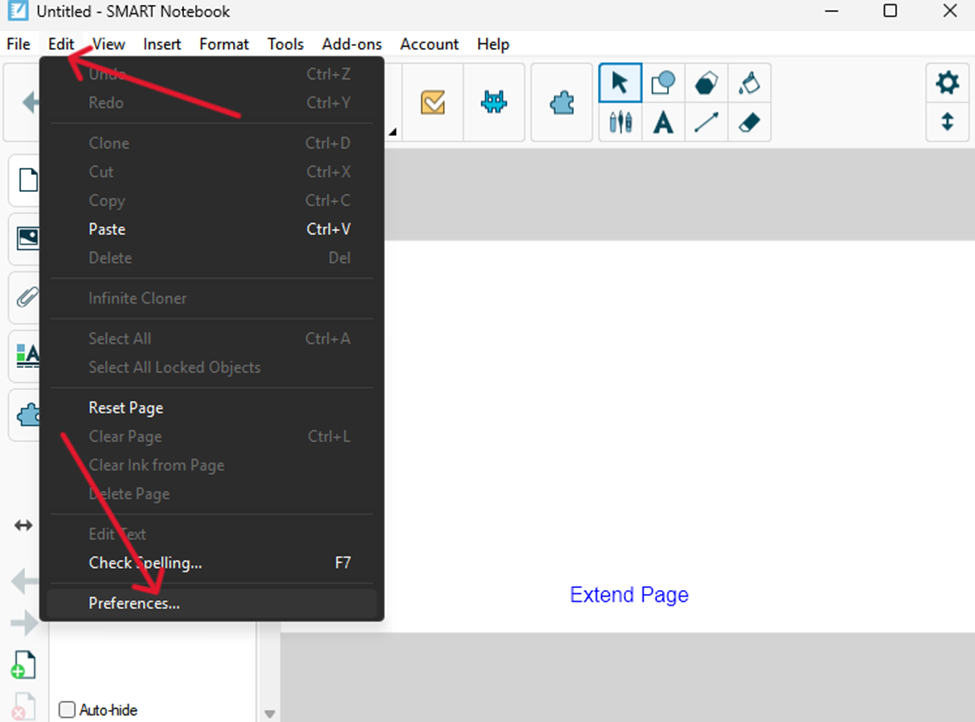
Next, select the Edit tab at the top of the toolbar and choose Preferences…
In the window labeled SMART Notebook Preferences, find the option titled Default version of SMART Notebook: and select Notebook 22.x, then click OK.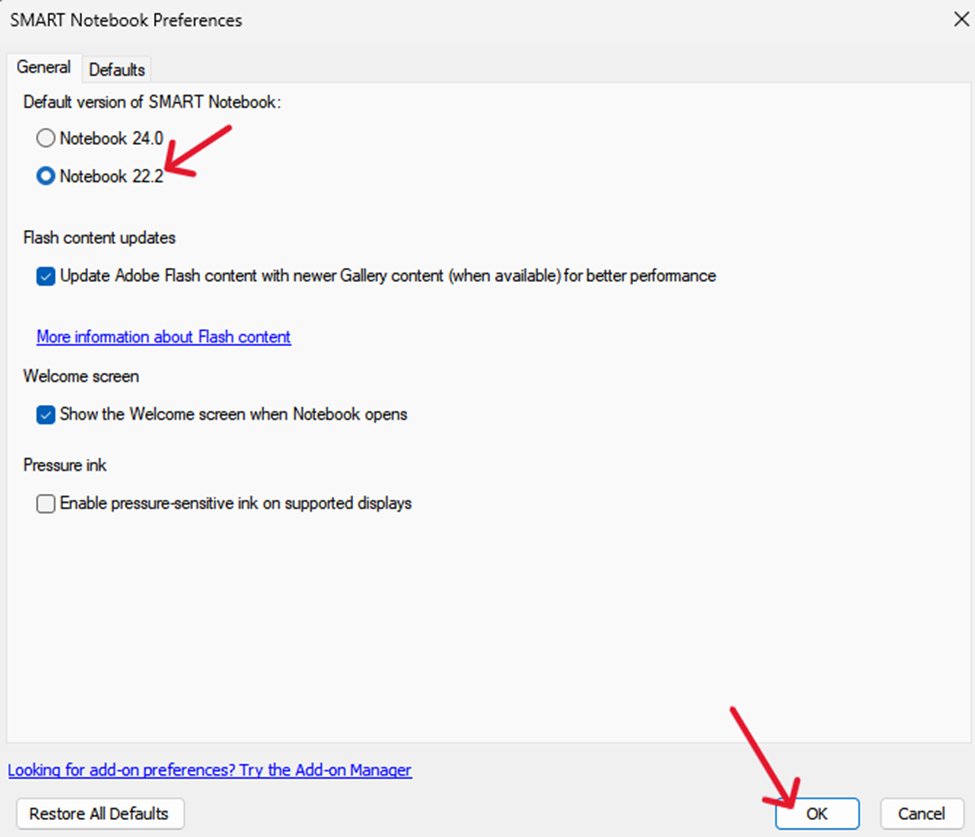
Close SMART Notebook and reopen it. The software should now display the Notebook 22 startup screen.