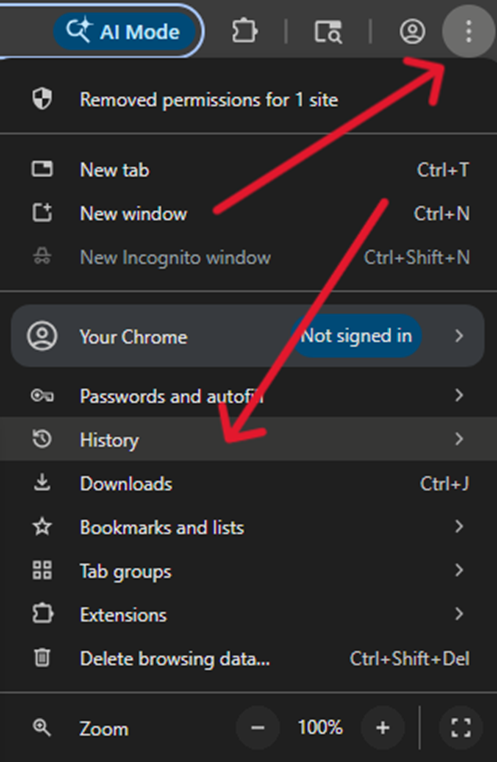
1. Open the three dots menu in the top right corner of Chrome > History
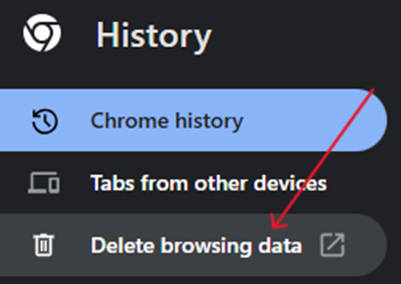
2. In History, select the Delete browsing data option
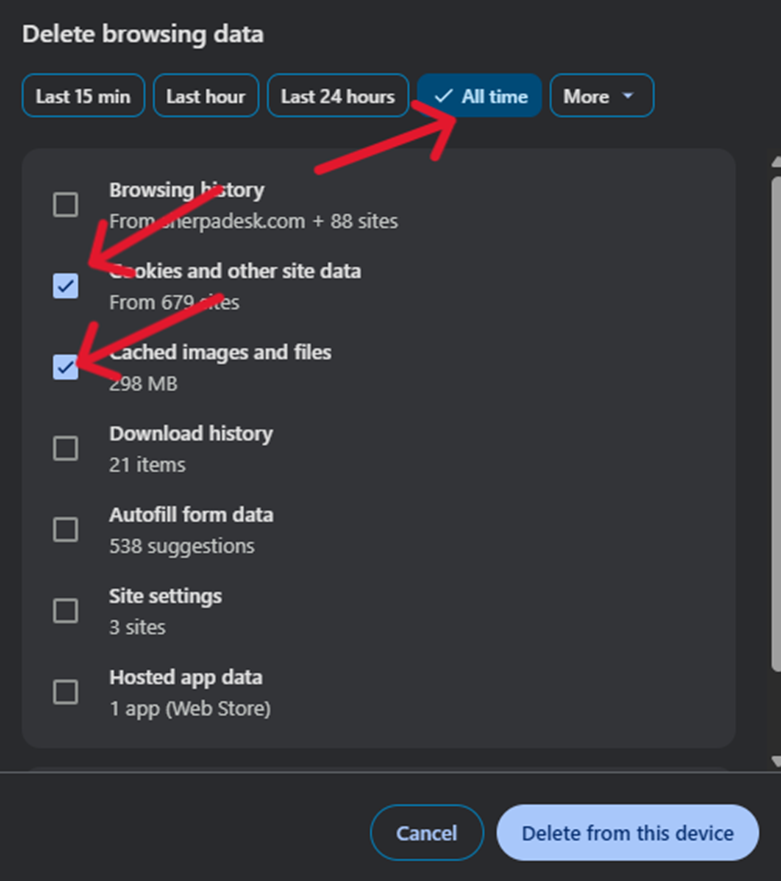
3. In the popup, choose the All time range. Next, check Cookies and other site data and Cached images and files. Click Delete from this device
4. After deleting the data, close Google Chrome and reopen it