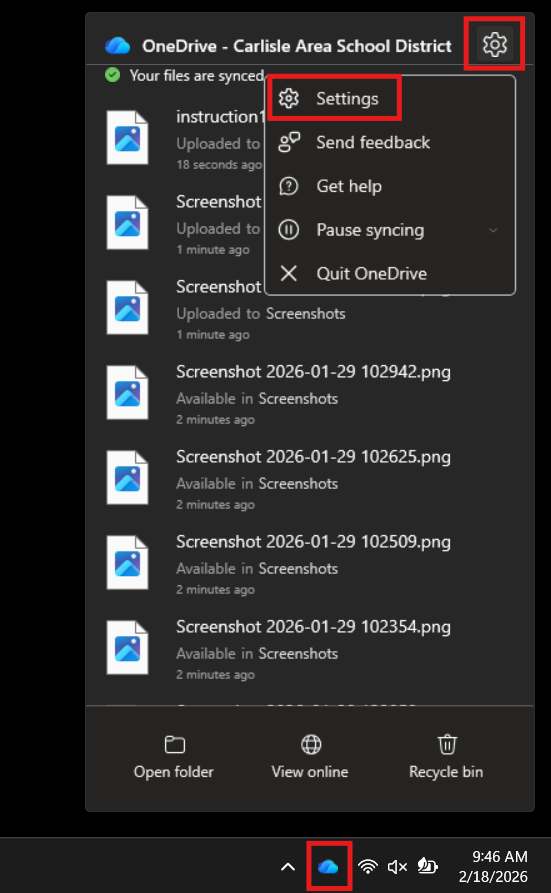
To clear up space, first you will need to find the blue cloud icon in the bottom right corner of your screen. Left-click on it and select the Gear icon and then select the "Settings" option.
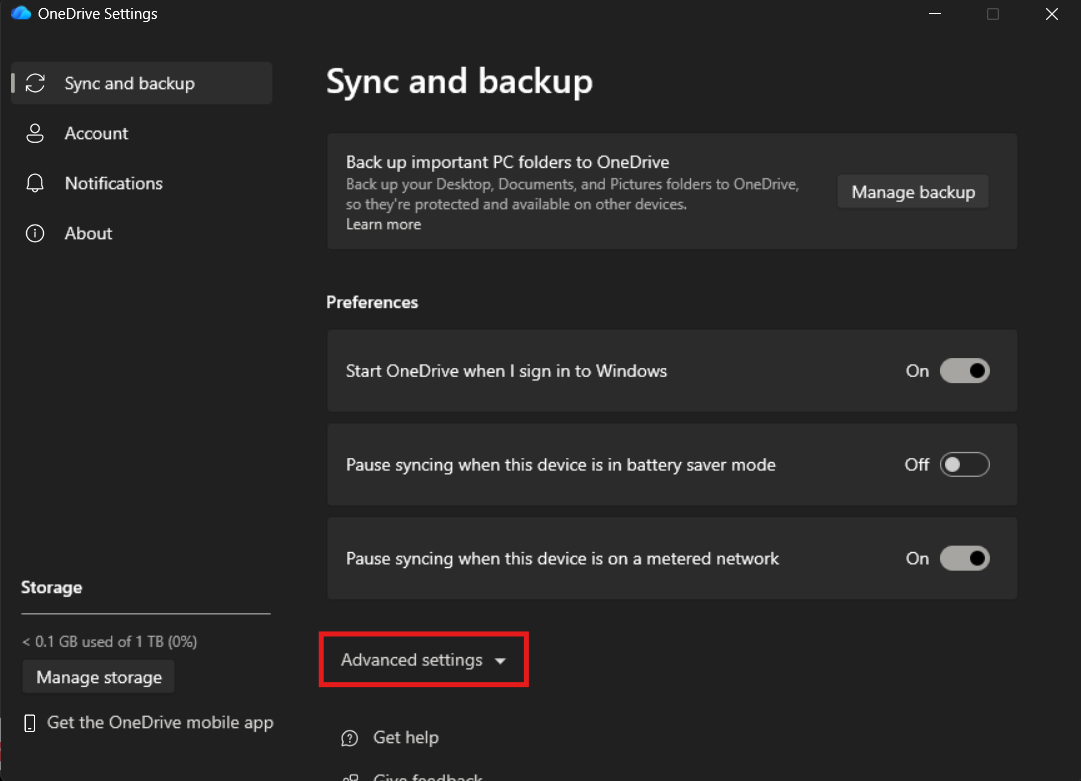
Once the settings window pops up, select "Advanced Options" and scroll down.
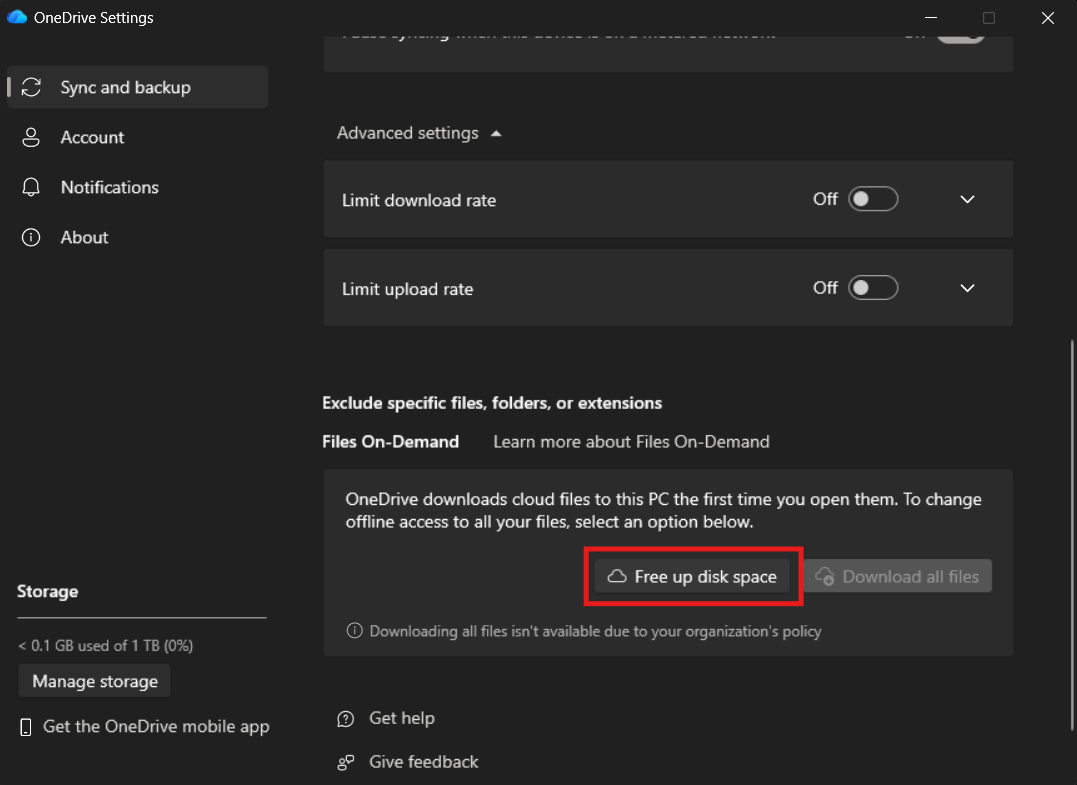
After you've scrolled down, click on "Free up disk space" and click on Allow.
Files will not be deleted, but they will be transferred to your OneDrive instead of being downloaded directly to your laptop. If you want to open a file, it will be downloaded before use.